Skip to content
Looking for the best AI coding tools for beginners in 2026? Whether you’re just starting your programming journey or switching careers into tech, AI-powered coding assistants can dramatically accelerate your learning curve. These tools help you write code faster, understand complex syntax, debug errors instantly, and build real projects from day one.
In this comprehensive guide, we’ve tested and ranked the best AI coding tools for beginners based on ease of use, learning support, pricing, and overall coding experience. Let’s dive in and find the perfect AI coding companion for your skill level.
Why Beginners Should Use AI Coding Tools in 2026
The landscape of programming education has shifted dramatically. Traditional learning paths – textbooks, tutorials, boot camps – still work, but AI coding assistants add a powerful layer of real-time guidance. Think of them as a senior developer sitting next to you, ready to explain any concept, fix any bug, and suggest better approaches.
Here’s why the best AI coding tools for beginners are game-changers:
- Instant error explanations – No more Googling cryptic error messages for hours
- Code completion – AI predicts what you’re trying to write and completes it
- Natural language to code – Describe what you want in English, get working code
- Learning by doing – Build real projects faster while understanding every line
- 24/7 availability – Unlike a human tutor, AI never sleeps
According to Gartner’s AI research, over 75% of developers will use AI coding assistants by the end of 2026. Getting comfortable with these tools now puts you ahead of the curve.
Best AI Coding Tools for Beginners – Our Top 7 Picks
We evaluated over 20 AI coding tools and narrowed down the best AI coding tools for beginners based on these criteria: beginner-friendliness, free tier availability, language support, and quality of code suggestions. Here’s our definitive ranking.
1. Cursor – Best Overall AI Coding Tool for Beginners
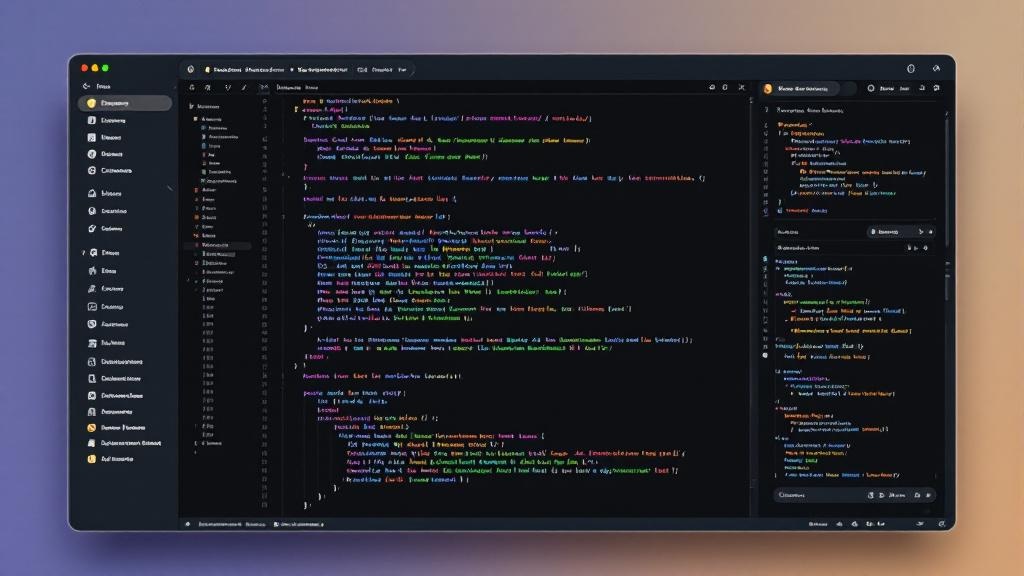
Cursor has quickly become the gold standard among AI coding tools for beginners and experienced developers alike. Built as a fork of VS Code, it feels immediately familiar while adding powerful AI capabilities that make coding feel almost effortless.
Key features:
- AI chat integrated directly into the editor – ask questions about your code in natural language
- Tab completion that predicts multi-line code blocks
- Cmd+K to generate or edit code from descriptions
- Understands your entire codebase for context-aware suggestions
- Supports Python, JavaScript, TypeScript, Java, C++, and 50+ languages
Pricing: Free tier (2000 completions/month) | Pro /month | Business /month
Why beginners love it: The free tier is generous enough for learning, and the AI chat feature lets you ask “what does this code do?” or “how do I fix this error?” without leaving your editor. We covered Cursor in depth in our Cursor vs GitHub Copilot comparison.
Our rating: 9.5/10
2. GitHub Copilot – Best AI Coding Tool for Beginners on a Budget
GitHub Copilot is arguably the most well-known AI coding assistant on the market. Powered by OpenAI’s models and trained on billions of lines of code, Copilot offers surprisingly accurate code suggestions that help beginners learn proper coding patterns from day one.
Key features:
- Real-time code suggestions as you type
- Copilot Chat for Q&A within VS Code
- Works with virtually every programming language
- GitHub integration for project management
- Free for students and open-source contributors
Pricing: Free (students/OSS) | Individual /month | Business /month
Why beginners love it: If you’re a student, you get Copilot completely free through the GitHub Student Developer Pack. That alone makes it one of the best AI coding tools for beginners who are learning on a tight budget.
Our rating: 9.2/10

3. Replit AI – Best Browser-Based AI Coding Tool for Beginners
Replit is the ultimate no-setup coding environment. Everything runs in your browser – no installations, no configuration headaches, no “it works on my machine” problems. For absolute beginners who find setting up a development environment intimidating, Replit removes every barrier to entry.
Key features:
- Code directly in your browser – zero setup required
- Replit AI generates entire projects from descriptions
- Built-in hosting – deploy your projects instantly
- Collaborative coding (Google Docs for code)
- Supports 50+ programming languages
Pricing: Free tier | Hacker /month | Pro /month
Why beginners love it: You can go from zero to a working web app in minutes. Describe your project in plain English, and Replit AI builds the foundation for you. It’s the fastest way to see tangible results as a beginner, which keeps motivation high.
Our rating: 9.0/10
4. Amazon CodeWhisperer (now Amazon Q Developer) – Best Free AI Coding Tool
Amazon’s AI coding assistant offers a surprisingly generous free tier with no completion limits for individual users. If you’re looking for the best AI coding tools for beginners that won’t cost a dime, CodeWhisperer deserves serious consideration.
Key features:
- Unlimited code suggestions on the free tier
- Security scanning to catch vulnerabilities in your code
- Reference tracking – know when suggestions match open-source code
- Works in VS Code, JetBrains, and AWS Cloud9
- Strong Python, JavaScript, and TypeScript support
Pricing: Free (Individual) | Professional /month
Why beginners love it: Unlimited free completions means you never hit a wall while learning. The security scanning feature also teaches beginners about secure coding practices from the start – a skill that many developers only learn much later in their careers.
Our rating: 8.7/10
5. Tabnine – Best AI Coding Tool for Privacy-Conscious Beginners
Tabnine stands out from other AI coding tools for beginners by prioritizing code privacy. Unlike Copilot or Cursor, Tabnine can run its AI models locally on your machine, meaning your code never leaves your computer. For beginners working on personal or sensitive projects, this is a significant advantage.
Key features:
- Local AI model option – your code stays on your machine
- Works in 20+ IDEs (VS Code, IntelliJ, Sublime, Vim, etc.)
- Supports all major programming languages
- Team learning – improves suggestions based on your codebase
- Fast completions with minimal latency
Pricing: Free (basic) | Pro /month | Enterprise custom
Our rating: 8.4/10
6. Codeium (Windsurf) – Best Rising AI Coding Tool for Beginners
Codeium, now rebranded as Windsurf, offers an impressive free tier that rivals paid competitors. It’s a strong choice among the best AI coding tools for beginners who want premium features without the premium price tag.
Key features:
- Generous free tier with AI chat and completions
- Supercomplete – predicts not just the next line, but entire blocks
- AI-powered search across your codebase
- Works in VS Code, JetBrains, Neovim, and more
- Fast and lightweight
Pricing: Free | Pro /month | Enterprise custom
Our rating: 8.3/10
7. ChatGPT / Claude – Best AI Coding Tools for Learning Concepts
While not traditional code editors, AI chatbots like ChatGPT and Claude are incredibly powerful learning tools for beginners. You can paste code, ask for explanations line by line, request tutorials on any topic, and even have the AI build entire projects step by step.
Key features:
- Explain any code in plain English
- Generate code from natural language descriptions
- Debug errors with detailed explanations
- Create custom learning plans
- Available 24/7 for free (with limits)
Pricing: ChatGPT Free / Plus /month | Claude Free / Pro /month
Our rating: 8.5/10 (as a learning companion)
Best AI Coding Tools for Beginners – Comparison Table
| Tool | Best For | Free Tier | Starting Price | Rating |
|---|---|---|---|---|
| Cursor | Overall best | ? 2000/month | /month | 9.5/10 |
| GitHub Copilot | Students & budget | ? Students free | /month | 9.2/10 |
| Replit AI | Browser-based | ? Limited | /month | 9.0/10 |
| Amazon Q Developer | Free unlimited | ? Unlimited | /month | 8.7/10 |
| Tabnine | Privacy | ? Basic | /month | 8.4/10 |
| Windsurf | Free premium | ? Generous | /month | 8.3/10 |
| ChatGPT/Claude | Learning concepts | ? Yes | /month | 8.5/10 |
How to Choose the Right AI Coding Tool as a Beginner
With so many options among the best AI coding tools for beginners, choosing the right one depends on your specific situation:
- Complete beginner with no setup experience? ? Start with Replit AI (browser-based, zero config)
- Student on a budget? ? Get GitHub Copilot free through GitHub Education
- Want the most powerful experience? ? Go with Cursor (our top pick)
- Need unlimited free usage? ? Try Amazon Q Developer
- Care about privacy? ? Choose Tabnine with local AI
Our recommendation: start with one tool and stick with it for at least 2-3 weeks before switching. Jumping between tools too quickly can slow your learning. Check our best free AI tools roundup for more options beyond coding.
Tips for Getting the Most Out of AI Coding Tools
Having the best AI coding tools for beginners installed is just the first step. Here’s how to maximize your learning:
- Don’t just copy-paste – Read every line the AI generates. Ask it to explain anything you don’t understand.
- Start with small projects – A to-do app, a calculator, a personal website. Build complexity gradually.
- Use AI chat for debugging – When you hit an error, paste it into the AI chat before searching Stack Overflow.
- Learn the keyboard shortcuts – Tab to accept, Escape to dismiss, Cmd+K to prompt. Speed matters.
- Practice without AI sometimes – Turn off the assistant occasionally to test your real understanding.
As Wired reports, developers using AI assistants are up to 55% faster at coding tasks. But speed without understanding is dangerous – make sure you’re learning, not just generating.
Best AI Coding Tools for Beginners – FAQ
Are AI coding tools safe to use for beginners?
Yes, the best AI coding tools for beginners are completely safe. They assist your coding but don’t execute code on their own (except Replit, which runs in a sandboxed environment). Always review AI-generated code before using it in production.
Can AI coding tools replace learning to code?
No. Think of AI coding tools as training wheels, not a replacement for understanding. They accelerate your learning but you still need to grasp fundamentals like variables, loops, functions, and data structures.
Which programming language should I start with?
Python is the most beginner-friendly language and all the best AI coding tools for beginners have excellent Python support. JavaScript is a great second choice, especially if you’re interested in web development.
Do I need a powerful computer?
Not necessarily. Cloud-based tools like Replit run entirely in your browser. For local tools like Cursor or Copilot, any modern laptop with 8GB RAM is sufficient. Only Tabnine’s local AI model benefits from more powerful hardware.
Final Verdict – Best AI Coding Tools for Beginners in 2026
The AI coding landscape has never been more accessible for beginners. Our top pick is Cursor for its perfect balance of power, ease of use, and free tier generosity. But honestly, you can’t go wrong with any tool on this list.
The most important thing is to start coding today. Pick one of these best AI coding tools for beginners, open a new project, and write your first line of code. The AI will be right there to help you along the way.
Want to explore more AI tools? Check out our Cursor vs GitHub Copilot deep dive or browse our complete best free AI tools guide.