Skip to content
Choosing the right AI code editor in 2026 can make or break your productivity. GitHub Copilot vs Cursor vs Windsurf – these three tools dominate the AI-assisted coding landscape, but they serve very different developer needs. After spending weeks testing each one on real projects, we’re breaking down exactly which AI code editor deserves your time and money.
Whether you’re a solo developer, part of a large team, or just starting to explore AI-powered coding, this GitHub Copilot vs Cursor vs Windsurf comparison will help you make an informed decision. We tested autocomplete speed, code quality, multi-file editing, pricing, and real-world workflow integration.

What Are GitHub Copilot, Cursor, and Windsurf?
Before diving into the GitHub Copilot vs Cursor vs Windsurf comparison, let’s quickly define each tool.
GitHub Copilot is Microsoft’s AI coding assistant, built on OpenAI models and deeply integrated into VS Code and JetBrains IDEs. It launched in 2021 and has become the most widely adopted AI code tool with over 1.8 million paying subscribers. Learn more on GitHub’s official page.
Cursor is a standalone AI-first code editor built on top of VS Code. It offers advanced features like multi-file editing, codebase-aware chat, and the innovative Composer mode that can refactor entire projects. It’s quickly become the favorite of power users and indie developers. You can read our in-depth Cursor AI Review 2026 for more details.
Windsurf (formerly Codeium) is the newest competitor, rebranded in late 2025. It focuses on affordability and agentic coding – its Cascade feature can autonomously execute multi-step coding tasks. Visit Windsurf’s website for the latest updates.
GitHub Copilot vs Cursor vs Windsurf: Code Completion
Code autocomplete is the bread and butter of any AI code editor. Here’s how GitHub Copilot vs Cursor vs Windsurf stack up in real-world use.
GitHub Copilot Autocomplete
Copilot’s inline suggestions are fast and reliable. It excels at completing boilerplate code, generating functions from comments, and predicting your next line. The suggestions feel natural because Copilot has been trained on billions of lines of GitHub code. However, it sometimes struggles with complex multi-step logic and doesn’t always understand your broader project context.
Cursor Code Completion
Cursor takes autocomplete to another level. Its Tab completion predicts not just the next line but entire code blocks. The killer feature is codebase awareness – Cursor indexes your entire project, so suggestions reference your existing functions, types, and patterns. This makes Cursor significantly better for large codebases where context matters.
Windsurf Autocomplete Quality
Windsurf offers solid autocomplete that rivals Copilot in speed. It uses a custom AI model optimized for code completion, which keeps latency low. The quality is good for standard tasks, though it occasionally falls behind Cursor on complex, context-dependent completions. Where Windsurf shines is its generous free tier – you get unlimited basic completions without paying a dime.
Winner: Cursor – codebase-aware completions give it a clear edge, especially for larger projects.

Multi-File Editing and Agentic Features
This is where the GitHub Copilot vs Cursor vs Windsurf battle gets really interesting. Modern AI code editors aren’t just about autocomplete – they need to handle complex, multi-file refactoring tasks.
Copilot Workspace and Edits
GitHub Copilot recently introduced Copilot Edits (formerly Workspace), allowing you to select multiple files and request changes across them. It works, but it’s still catching up. The experience can feel clunky compared to dedicated AI editors. Copilot’s strength remains its tight GitHub integration – pull request summaries, code review suggestions, and issue-to-code workflows are excellent.
Cursor Composer Mode
Cursor’s Composer is arguably the best multi-file editing tool available. You can describe what you want in natural language, and Composer will create, modify, and delete files across your entire project. It shows diffs before applying changes, letting you review everything. For refactoring, adding features, or fixing bugs across multiple files, Cursor Composer is unmatched. This is one of the main reasons developers are switching – as we covered in our best AI tools for one-person businesses roundup.
Windsurf Cascade
Windsurf’s Cascade is its flagship agentic feature. Unlike simple chat-based editing, Cascade can autonomously plan and execute multi-step tasks – running terminal commands, reading documentation, browsing the web, and editing files. It’s the most “agentic” of the three tools. However, Cascade can sometimes go off-track on complex tasks, requiring more supervision than Cursor’s more controlled Composer approach.
Winner: Cursor – Composer offers the best balance of power and control for multi-file editing.
GitHub Copilot vs Cursor vs Windsurf: AI Chat Experience
All three editors include an AI chat panel, but the quality varies significantly in the GitHub Copilot vs Cursor vs Windsurf comparison.
Copilot Chat is solid and supports @workspace references to include project context. It can explain code, generate tests, and fix errors. The experience is seamless within VS Code but limited in scope – it won’t browse the web or run commands autonomously.
Cursor Chat is exceptional. You can @mention specific files, folders, or documentation. It supports multiple AI models (GPT-4o, Claude Opus 4, Gemini), letting you pick the best model for each task. The chat is deeply integrated with the editor – you can apply suggested changes directly from the chat panel.
Windsurf Chat is capable and supports web search and documentation lookups. The Cascade integration means you can escalate from a simple chat question to a full agentic task. However, the model selection is more limited than Cursor’s.
Winner: Cursor – multi-model support and deep editor integration make it the best chat experience. Developers interested in standalone AI chatbots should check our Claude AI Review 2026.
Pricing Comparison: GitHub Copilot vs Cursor vs Windsurf
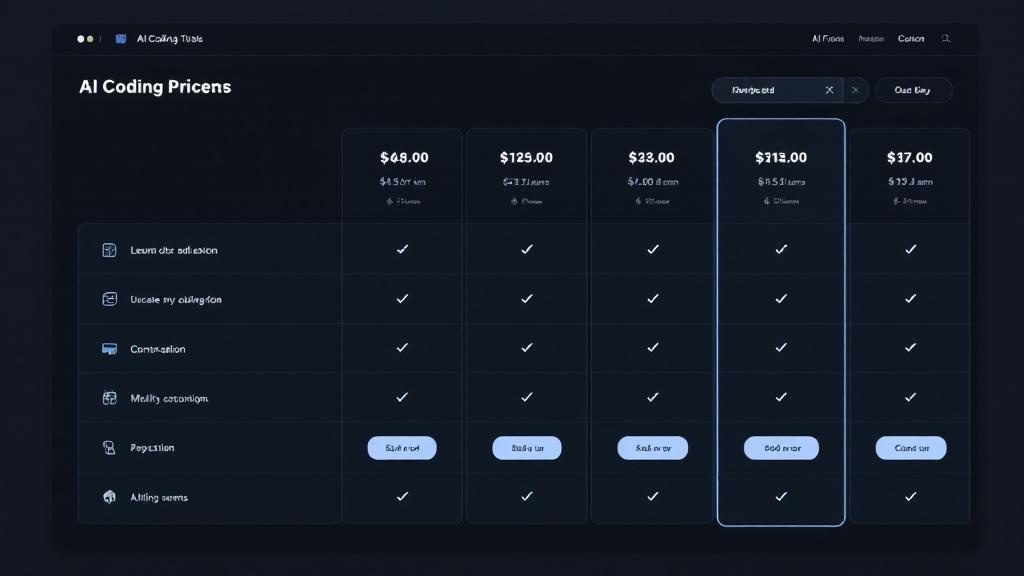
Price is often the deciding factor. Here’s the full GitHub Copilot vs Cursor vs Windsurf pricing breakdown for 2026.
GitHub Copilot Pricing
- Free tier: 2,000 completions + 50 chat messages/month
- Pro: $10/month – unlimited completions, multiple models
- Business: $19/user/month – admin controls, policy management
- Enterprise: $39/user/month – fine-tuning, advanced security
Cursor Pricing
- Free (Hobby): 2,000 completions + 50 premium requests/month
- Pro: $20/month – 500 fast premium requests, unlimited completions
- Business: $40/user/month – admin dashboard, centralized billing
Windsurf Pricing
- Free: Unlimited basic completions + limited premium actions
- Pro: $15/month – generous premium credits, Cascade access
- Team: $30/user/month – collaboration features
Best value: Windsurf Pro at $15/month offers the most features per dollar. Copilot is cheapest for basic needs at $10/month. Cursor at $20/month is the premium choice, justified by its superior multi-file editing capabilities.
IDE Support and Setup
Another key factor in the GitHub Copilot vs Cursor vs Windsurf decision is IDE compatibility.
GitHub Copilot wins here with the widest support: VS Code, JetBrains (IntelliJ, PyCharm, etc.), Neovim, Visual Studio, and even Xcode. If you’re locked into a specific IDE, Copilot probably supports it.
Cursor is a standalone editor (forked from VS Code), so you must switch to it entirely. The good news: it imports all your VS Code extensions, themes, and keybindings. Most developers transition in minutes. The downside: if you prefer JetBrains or another IDE, you’re out of luck.
Windsurf is also a standalone editor (previously based on VS Code). Like Cursor, it supports VS Code extensions. It also offers a browser-based version for quick access without installation.
Winner: GitHub Copilot – if IDE flexibility matters to you, Copilot is the clear choice. Check our best AI coding tools for beginners for more IDE-friendly options.
Performance and Speed
We tested GitHub Copilot vs Cursor vs Windsurf latency on a MacBook Pro M3 and a Windows workstation with a typical 50ms internet connection.
- Copilot: ~200-400ms for inline suggestions, consistent and reliable
- Cursor: ~150-350ms for Tab completions, slightly faster on average
- Windsurf: ~180-400ms for completions, comparable to Copilot
For chat and multi-file operations, Cursor and Windsurf both feel snappier because they process context locally before sending requests. Copilot’s chat can feel slower on large codebases since it relies more heavily on cloud processing.
All three tools handle projects with 100K+ lines without significant slowdowns. The performance differences are marginal – you won’t notice them in daily use.
Privacy and Security
For enterprise teams, data privacy in the GitHub Copilot vs Cursor vs Windsurf comparison matters enormously.
Copilot offers the strongest enterprise privacy guarantees. Business and Enterprise plans ensure your code isn’t used for training. GitHub’s privacy documentation details their data handling policies.
Cursor offers a Privacy Mode that ensures no code is stored on their servers. SOC 2 compliance is available on Business plans. You can also use local models for maximum privacy.
Windsurf provides similar no-training guarantees and offers on-premise deployment for enterprise customers. Their zero-data-retention policy applies to all paid plans.
Winner: Tie – all three take privacy seriously on paid plans. Copilot has a slight edge for enterprises already invested in GitHub’s ecosystem.
Who Should Use Which AI Code Editor?
After extensive testing of GitHub Copilot vs Cursor vs Windsurf, here are our recommendations:
Choose GitHub Copilot if:
- You use JetBrains, Neovim, or Visual Studio (not just VS Code)
- Your team is already on GitHub Enterprise
- You want the cheapest reliable option ($10/month)
- You need strong enterprise compliance and admin controls
Choose Cursor if:
- Multi-file editing and refactoring are central to your workflow
- You want the best AI chat experience with model flexibility
- You work on large, complex codebases
- You’re willing to pay a premium ($20/month) for the best features
Choose Windsurf if:
- Budget is your primary concern ($15/month or free tier)
- You want agentic capabilities (Cascade) for autonomous task execution
- You’re exploring AI coding tools and want a generous free plan
- You prefer a balance of features and affordability
GitHub Copilot vs Cursor vs Windsurf: Final Verdict
In the GitHub Copilot vs Cursor vs Windsurf showdown, Cursor wins overall for developers who prioritize raw AI capability and multi-file editing power. Its Composer mode, codebase awareness, and multi-model support put it ahead of the competition in 2026.
GitHub Copilot remains the safest, most accessible choice – especially for teams already embedded in the GitHub ecosystem. It’s reliable, affordable, and works with the widest range of IDEs.
Windsurf is the best value pick and the most exciting newcomer. Its agentic Cascade feature hints at the future of AI-assisted development, and its free tier is genuinely usable.
Our ratings:
- Cursor: 9.2/10 – Best for power users and complex projects
- GitHub Copilot: 8.7/10 – Best for teams and IDE flexibility
- Windsurf: 8.5/10 – Best value and most innovative features
Whichever you choose, AI-assisted coding is no longer optional in 2026 – it’s how modern software gets built.